Skip to content
    • About
    • Contact

The Secure Byte

  • Best Mac EDR Solutions for 2025

    July 13th, 2025

    In 2025, individuals and businesses focus on enhanced security for their Mac devices. Endpoint Detection and Response (EDR) solutions are vital for protecting systems from cyber threats. This article explores the best Mac EDR solutions for 2025, highlighting features, benefits, and drawbacks.

    What is EDR?

    EDR stands for Endpoint Detection and Response. These solutions monitor various endpoints to identify and respond to security threats. EDR tools collect data from devices, analyze this information, and enable real-time threat mitigation. This proactive approach helps prevent data breaches and malware attacks.

    Importance of EDR for Mac Users

    Mac users are not immune to cyber threats. While Macs are often considered more secure than other systems, they still face risks. Malware, ransomware, and phishing attacks can affect Macs. EDR solutions provide an added layer of security. They help users detect and respond to threats quickly, minimizing risk.

    Top Mac EDR Solutions for 2025

    1. CrowdStrike Falcon

    CrowdStrike Falcon leads the market with its cloud-native architecture. It provides powerful detection capabilities and real-time responses. The platform uses artificial intelligence to analyze threats.

    Pros:
    – Quick response times
    – Cloud-based, minimizing impact on system resources
    – User-friendly interface

    Cons:
    – Higher cost compared to some alternatives
    – Requires a continuous internet connection for full functionality

    2. Sophos Intercept X

    Sophos Intercept X offers strong protection with advanced features. It includes deep learning technology for detecting malware. The solution also provides exploit prevention and active adversary mitigations.

    Pros:
    – Comprehensive threat detection
    – Integrated antivirus and anti-ransomware protection
    – Remote management capabilities

    Cons:
    – Configuration can be complex for inexperienced users
    – Performance may slow down older devices

    3. SentinelOne

    SentinelOne stands out with its autonomous response capabilities. The platform uses machine learning to analyze behaviors and threats. It can respond to incidents without human intervention.

    Pros:
    – Fast and effective threat response
    – Continuous monitoring and alerting
    – Rollback capabilities for restoring systems after an attack

    Cons:
    – Can generate false positives
    – Licensing can be expensive for larger organizations

    4. Malwarebytes Endpoint Detection and Response

    Malwarebytes EDR offers a straightforward approach to endpoint protection. It combines malware removal with EDR capabilities. The user interface is simple, making it easy for users to navigate.

    Pros:
    – Affordable pricing
    – Excellent malware detection rates
    – Easy-to-use interface

    Cons:
    – May lack some advanced features offered by competitors
    – Requires additional management for real-time monitoring

    5. Microsoft Defender for Endpoint

    Microsoft Defender for Endpoint provides a strong security solution for enterprises. It integrates seamlessly with macOS devices. The platform uses threat intelligence to keep systems secure.

    Pros:
    – Strong integration with Microsoft products
    – Comprehensive reporting and analysis features
    – Continual updates with new threat intelligence

    Cons:
    – Not as user-friendly for non-Microsoft users
    – May require technical knowledge for optimal configuration

    Key Features to Consider

    When choosing an EDR solution for Mac in 2025, consider the following features:

    Real-time Monitoring

    An effective EDR solution should monitor endpoints in real-time. This ensures immediate detection of threats.

    Automated Response

    Look for solutions that automate responses to incidents. Automated actions help reduce the time between detection and remediation.

    Ease of Management

    The management console should be user-friendly. A straightforward interface allows efficient monitoring and response.

    Reporting and Analytics

    Comprehensive reporting features enable IT teams to analyze threats. Look for solutions that provide detailed insights into security events.

    Integration Capabilities

    Choose EDR solutions that integrate with existing security tools. This improves overall security posture and provides a unified view.

    Pros and Cons of EDR Solutions

    Pros

    • Enhanced security against threats
    • Fast detection and response times
    • In-depth reporting and analytics for informed decisions
    • Automated protection decreases manual workload

    Cons

    • Some solutions may be expensive
    • Complexity can be overwhelming for small businesses
    • False positives may lead to unnecessary alerts

    Best Practices for EDR Implementation

    Implementing an EDR solution requires careful planning. The following best practices can help maximize effectiveness:

    Assess Security Needs

    Before choosing an EDR solution, assess your organization’s specific security needs. Identify potential threats relevant to your operations.

    Train Employees

    Educate employees on cybersecurity best practices. Awareness training helps prevent human errors that can lead to security breaches.

    Regularly Update Software

    Ensure that EDR solutions and operating systems are updated regularly. Timely updates help address vulnerabilities and enhance protection.

    Monitor Threat Trends

    Stay informed about emerging threats. Regularly review threat intelligence reports to adapt security measures effectively.

    Create an Incident Response Plan

    Establish a clear incident response plan. The plan should outline steps to take in the event of a security breach. This preparedness improves response efficiency.

    Conclusion

    In 2025, protecting Mac devices with EDR solutions is essential. Various options, such as CrowdStrike Falcon and Sophos Intercept X, offer strong security features. When choosing an EDR solution, consider factors like ease of management and automatic responses.

    Implementing best practices enhances the effectiveness of EDR. By staying informed about cyber threats, users can safeguard their devices. Investing in the right EDR solution fosters a secure environment for all Mac users.

    The right choice will vary based on individual needs, but all of the options mentioned here provide strong security foundations for Mac users.

  • Implementing Effective EDR for Linux

    July 11th, 2025

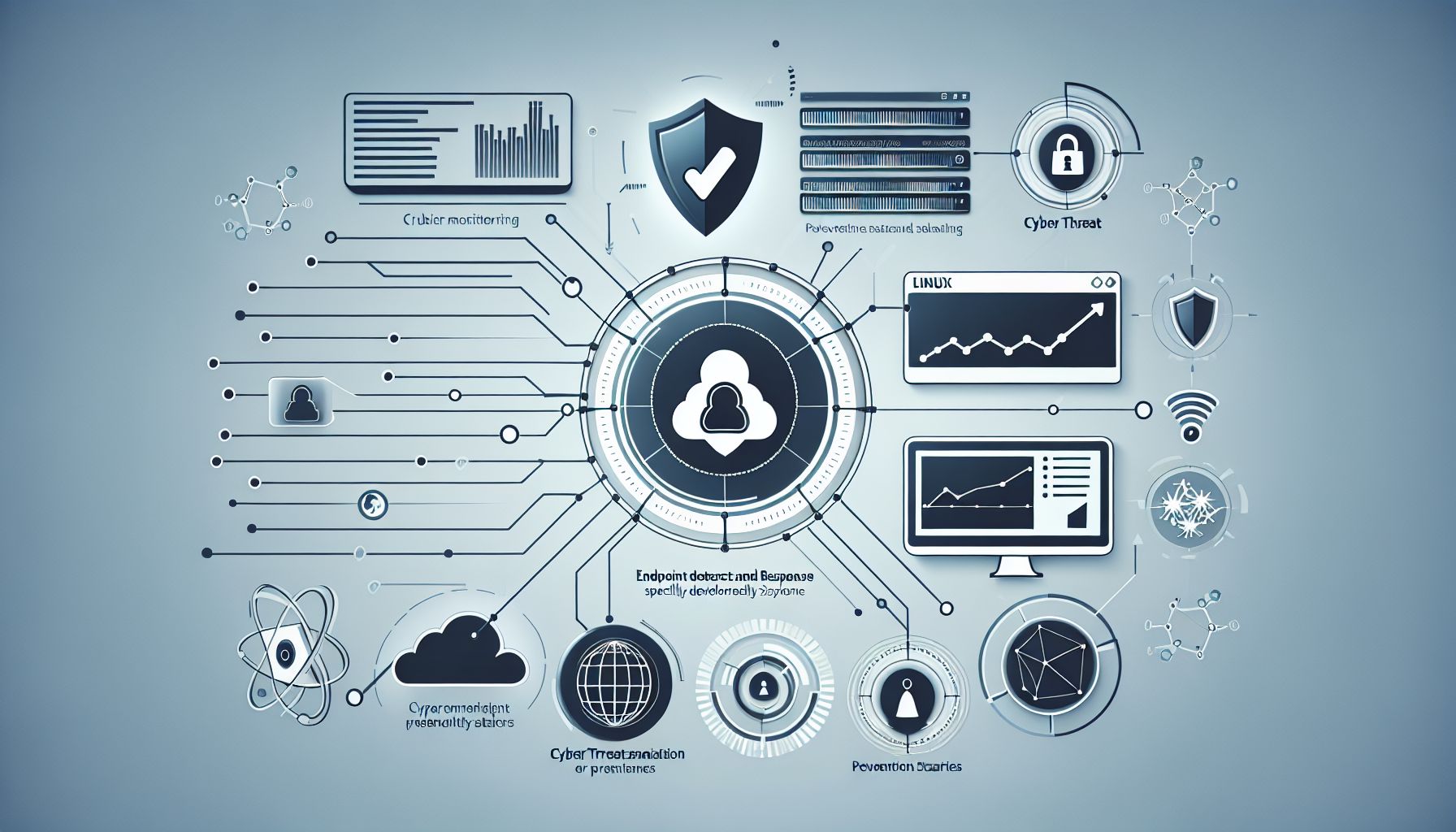
    Endpoint Detection and Response (EDR) systems play a vital role in securing Linux environments. As cyber threats increase, organizations need to protect their Linux systems effectively. This article covers the steps to implement EDR successfully on Linux, highlights its benefits, and offers advice on achieving optimal results.

    Understanding EDR

    EDR solutions enhance security by detecting threats and responding to incidents on endpoints. An endpoint is any device connected to a network, including servers and workstations. EDR tools collect data from these endpoints and help identify suspicious activity, enabling quicker responses.

    Why Use EDR on Linux?

    Linux systems run many servers, including those for web applications and databases. They are often targets for attacks. EDR provides multiple advantages:

    • Real-Time Monitoring: EDR closely monitors system behavior, identifying unusual activities.
    • Quick Response: EDR tools can automate responses to threats, reducing damage.
    • Comprehensive Forensics: EDR collects and analyzes data, helping organizations understand incidents better.
    • Improved Compliance: Many industries have regulations requiring strong security measures. EDR helps meet these requirements.

    Choosing the Right EDR Solution

    Selecting the right EDR solution involves several considerations:

    1. Compatibility: Ensure that the EDR tool works well with your Linux distribution and infrastructure.
    2. Performance: Look for a tool that does not slow down your systems. Lightweight solutions usually perform better.
    3. Ease of Use: Ensure the user interface is user-friendly. Complex systems can hinder effective use.
    4. Support and Updates: A good EDR provider should offer support and regular updates to address new threats.
    5. Price: Evaluate your budget against the features offered. Choose a solution that provides value for money.

    Steps to Implement EDR on Linux

    Implementing EDR on a Linux system involves several steps. Follow this guide for a streamlined process.

    1. Assess Your Environment

    Conducting a thorough assessment is crucial. Identify all Linux endpoints in your network and evaluate existing security measures. This information will guide your EDR implementation.

    2. Install the EDR Software

    Once you select an EDR solution, install the software on your Linux endpoints. Follow the vendor’s installation instructions closely. It usually involves downloading a package and executing it via the command line.

    3. Configure Settings

    After installation, configure the EDR tool settings. Key settings include:

    • Sensor Deployment: Ensure sensors are set up on all Linux endpoints for complete coverage.
    • Policy Management: Define security policies that the EDR should enforce. This could include rules for blocking suspicious files or activities.
    • User Access: Set user roles and permissions regarding the EDR tool. Ensure only authorized personnel can access sensitive data or make changes.

    4. Monitor Activity

    After setup, start monitoring activity closely. Track the alerts generated by the EDR system. Check the system logs daily to identify any potential threats early.

    5. Train Your Team

    Provide training for your IT team and security personnel on how to use the EDR tool effectively. This training should cover alarm interpretation, incident response processes, and system maintenance.

    6. Test the System

    Conduct regular tests to ensure the EDR system works as expected. Simulate attacks to see how well the EDR detects and responds. This practice helps refine configurations and improve overall security.

    7. Review and Optimize

    Regularly review the EDR system’s performance. Adjust settings and update policies based on new threats and changes in the environment. Keep abreast of industry trends to ensure continued effectiveness.

    Examples of Effective EDR Solutions for Linux

    1. CrowdStrike Falcon: This cloud-based solution provides excellent threat detection and response capabilities. It is suitable for various Linux distributions.
    2. Carbon Black: Known for its strong prevention capabilities, Carbon Black offers comprehensive visibility and response features.
    3. OSSEC: A free, open-source EDR option, OSSEC is excellent for those on a budget. It provides log analysis, intrusion detection, and real-time alerts.

    Pros and Cons of EDR for Linux

    Pros

    • Enhanced Security: EDR tools offer deeper visibility into endpoint activities, improving detection and response to security incidents.
    • Automation: Many EDR systems automate threat responses, allowing teams to focus on more strategic tasks.
    • Data Analysis: EDR tools analyze vast amounts of data quickly, providing insights into potential vulnerabilities.

    Cons

    • Cost: Some EDR solutions can be expensive. Budget constraints may limit options for small organizations.
    • Complexity: Not all solutions are easy to implement. Some may require extensive training and support.
    • False Positives: EDR systems can generate false alerts, leading to alarm fatigue among security teams.

    Conclusion

    Implementing EDR for Linux systems fortifies your security posture. By selecting the right solution and following a clear implementation process, organizations can protect themselves against various threats. Continuous monitoring, regular testing, and optimization ensure ongoing protection. Investing in EDR tools is a proactive step towards maintaining robust security, keeping your Linux environments secure against potential attacks.

    EDR Implementation

  • Choosing SOC 2 Compliance Software for Agile Teams

    July 10th, 2025

    Agile teams thrive on speed and flexibility. They need tools that help them work efficiently while complying with necessary regulations. One important standard is SOC 2 compliance. This article discusses how to select the right SOC 2 compliance software for agile teams.

    Understanding SOC 2 Compliance

    SOC 2 compliance focuses on how organizations manage data to protect the privacy of clients. Companies must establish and implement policies and practices related to security, availability, processing integrity, confidentiality, and privacy. For agile teams, understanding this framework is crucial because it impacts their workflows and product development.

    Why Agile Teams Need SOC 2 Compliance

    Agile teams often work with client data. This means they must ensure that sensitive information is secure. Meeting SOC 2 requirements builds trust with customers. It also guarantees that the team follows best practices for data handling. Compliance can help avoid costly data breaches and strengthen the company’s reputation.

    Key Features of SOC 2 Compliance Software

    When choosing SOC 2 compliance software, focus on essential features. Here are some key attributes to consider:

    1. User-Friendly Interface

    Agile teams work in fast-paced environments. They need software that is easy to navigate. A user-friendly interface allows team members to quickly learn the software. Look for tools with intuitive designs to reduce training time.

    2. Automation Capabilities

    Automation saves time. Software that automates compliance tasks streamlines processes for agile teams. Look for tools that can automate documentation, tracking, and reporting. This helps teams focus on their core tasks rather than on administrative duties.

    3. Real-Time Monitoring

    Real-time monitoring is crucial for maintaining compliance. It allows teams to detect any potential issues immediately. Software that provides dashboards and alerts helps teams respond quickly to compliance breaches.

    4. Integration with Existing Tools

    Agile teams often rely on various tools for project management and collaboration. Choosing compliance software that integrates seamlessly with existing tools can enhance productivity. Look for software that connects with popular project management platforms and communication apps.

    5. Customizable Reporting

    Transparency is vital for compliance. Software that offers customizable reporting allows teams to generate reports that meet their specific needs. Flexibility in reporting helps ensure that stakeholders receive the information they require.

    Evaluating the Software Options

    When evaluating different SOC 2 compliance software options, consider the following steps:

    1. Assess Team Needs

    Understand the specific needs of your agile team. Consider project size, team structure, and existing tools. This assessment helps identify the features that matter most.

    2. Review Software Providers

    Research various providers in the market. Look for those with a solid reputation in the field of compliance. Read user reviews and case studies. This information offers valuable insights into their performance.

    3. Request Demos

    Many software providers offer demos. Request demos from the top contenders on your list. This step allows your team to see the software in action. It also provides insight into the user experience and overall functionality.

    4. Compare Pricing

    Price matters, but it should not be the only criterion. Compare the features offered at different price points. Consider the value the software brings to your agile team. Selecting the right software is an investment in efficiency and compliance.

    5. Seek Feedback from Stakeholders

    Collect feedback from all potential users within your team. Engage your team members in discussions about the software options. Their input can highlight specific preferences and concerns.

    Popular SOC 2 Compliance Software Options

    Several software options cater to SOC 2 compliance. Below are a few notable tools that agile teams often find helpful:

    1. Vanta

    Vanta automates compliance monitoring for agile teams. It simplifies the SOC 2 compliance journey with easy integration and real-time alerts. Users find its features valuable for maintaining compliance across different projects.

    2. Drata

    Drata focuses on automating security and compliance. It offers an intuitive interface and robust reporting features. Agile teams appreciate its ability to integrate with existing tools, making compliance smoother.

    3. Secureframe

    Secureframe provides a comprehensive approach to SOC 2 compliance. It allows teams to streamline the compliance process while offering continuous monitoring. Agile teams enjoy its user-friendly dashboard and automation options.

    4. ComplianceMonkey

    ComplianceMonkey focuses on simplifying compliance tasks for agile teams. Its customizable reporting features and integration capabilities enhance its appeal. Teams favor it for ease of use and responsiveness.

    Pros and Cons of SOC 2 Compliance Software

    Every software has its strengths and weaknesses. Below are some pros and cons of using SOC 2 compliance software:

    Pros

    • Efficiency: Automates compliance tasks, reducing time spent on administrative work.
    • Real-Time Monitoring: Detects issues quickly to minimize risks.
    • User-Friendly: Simplifies compliance processes for team members.
    • Integration: Works well with existing tools, promoting seamless workflows.
    • Custom Reports: Tailors reporting to meet specific needs and stakeholders.

    Cons

    • Cost: Some software can be expensive, especially for startups and small teams.
    • Learning Curve: Not all tools are equally easy to learn; some may require extensive training.
    • Overlapping Features: Teams may find that some features overlap with current tools, leading to unnecessary complexity.
    • Vendor Lock-In: Dependence on a specific software can tie the team to a particular vendor.

    Conclusion

    Selecting the right SOC 2 compliance software is essential for agile teams. By understanding the requirements of SOC 2 compliance and evaluating software options carefully, teams can enhance their compliance processes. Focus on user-friendly software that offers automation and integration. This way, agile teams can maintain their flexibility while ensuring data security. Investing in the right tool pays off in efficiency and client trust.

    By taking a systematic approach to choosing compliance software, agile teams can stay on track with SOC 2 requirements while remaining agile and focused on their core mission.

  • Finding the Best Linux EDR Solutions

    July 8th, 2025

    Linux has a strong presence in enterprise environments and is known for its security and stability. However, as cyber threats grow, organizations need effective Endpoint Detection and Response (EDR) solutions. In this article, we will explore key features of Linux EDR, popular solutions, and guidelines for selecting the best option for your organization.

    Understanding EDR Solutions

    EDR solutions monitor endpoints for suspicious activities. They collect and analyze data to detect threats, providing response capabilities. With Linux systems becoming popular for servers and workstations, Linux EDR solutions play a critical role in protecting sensitive data.

    Key Features of Linux EDR Solutions

    When selecting an EDR solution for Linux, organizations should consider several features:

    1. Real-time Monitoring
      EDR solutions should offer real-time monitoring of endpoints. They must collect data continuously to identify threats quickly.

    2. Behavioral Analysis
      The ability to analyze user and system behavior is essential. This helps detect anomalies, indicating potential security breaches.

    3. Threat Intelligence Integration
      Effective EDR solutions integrate threat intelligence feeds. This feature enhances the system’s ability to recognize known threats and respond accordingly.

    4. Automated Response
      Automated response capabilities can contain threats promptly. The system should take predefined actions, reducing the time it takes to mitigate incidents.

    5. Forensic Capabilities
      Strong EDR solutions provide forensic tools. These tools help users investigate and understand incidents after they occur.

    6. User-Friendly Interface
      A clear and simple interface makes it easier for security teams to monitor and respond to threats efficiently.

    7. Compatibility with Existing Infrastructure
      EDR solutions should work well with existing security tools. This ensures seamless integration into your organization’s security framework.

    Popular Linux EDR Solutions

    Let’s explore several popular EDR solutions specifically designed for Linux environments. Each option has unique strengths and capabilities.

    1. CrowdStrike Falcon

    CrowdStrike Falcon is a cloud-based EDR solution noted for its high performance. It offers real-time monitoring, advanced threat intelligence, and robust response options. Its lightweight agent runs seamlessly on Linux systems without impacting performance.

    Pros:
    – Cloud-based architecture for easy management.
    – Strong threat intelligence capabilities.
    – Advanced machine learning algorithms to detect threats.

    Cons:
    – May be costly for small organizations.
    – Requires internet connectivity for optimal performance.

    2. SentinelOne

    SentinelOne provides an autonomous endpoint protection platform. It offers real-time visibility and control over Linux environments. Its machine learning engine identifies known and unknown threats effectively. Users appreciate its easy-to-use interface and quick deployment.

    Pros:
    – Strong automation features.
    – High detection rates for both known and unknown threats.
    – Excellent user interface.

    Cons:
    – Some features may be overwhelming for smaller teams.
    – Can have a steep learning curve initially.

    3. Sophos Intercept X

    Sophos Intercept X offers a range of protection features, including exploit prevention and deep learning technology. It provides thorough scanning and simple incident response tools. Businesses benefit from its consolidated, single-agent architecture.

    Pros:
    – Comprehensive protection features.
    – Easy integration with existing Sophos products.
    – Strong reporting capabilities.

    Cons:
    – May require significant configuration time.
    – Some users may find advanced features unnecessary.

    4. McAfee Endpoint Security

    McAfee Endpoint Security provides solid EDR capabilities for Linux systems. It focuses on threat prevention, detection, and response. Its machine learning capabilities and behavioral analysis enhance security. Additionally, it integrates with McAfee’s broader security suite.

    Pros:
    – Integrated with McAfee’s security products.
    – Strong threat prevention features.
    – Comprehensive reporting tools.

    Cons:
    – User interface can feel cluttered.
    – Performance may lag on lower-end systems.

    5. Elastic Security

    Elastic Security is an open-source option for those looking for flexibility. It offers SIEM capabilities and centralized logging. By utilizing Elastic Stack, it can collect and analyze data from various sources, including endpoints.

    Pros:
    – Open-source with extensive customization options.
    – Powerful logging and analytics capabilities.
    – Cost-effective for smaller organizations.

    Cons:
    – Requires significant technical expertise.
    – Limited out-of-the-box features compared to commercial solutions.

    Factors to Consider When Choosing a Linux EDR Solution

    Choosing the right EDR solution involves careful consideration. Here are some factors to keep in mind:

    1. Budget

    Assess your organization’s budget for security solutions. Some EDR solutions are more expensive but may offer better protection and features. Determine what features are essential and what fits your budget.

    2. Ease of Use

    Choose a solution that your team can use comfortably. A user-friendly interface helps staff monitor and respond to threats more efficiently. Take advantage of free trials to evaluate usability before making a decision.

    3. Support and Training

    Consider the level of support offered by the vendor. Quality customer support can aid in resolving issues promptly. Additionally, training resources can help your team become proficient in using the new system.

    4. Performance Impact

    EDR solutions should run efficiently without hindering system performance. Evaluate how each option affects system resources and user experience. A lightweight solution minimizes disruption.

    5. Scalability

    Select a solution that can grow with your organization. The EDR solution should handle an increasing number of endpoints without complications. Scalability ensures that you do not need to replace the system as your organization expands.

    6. Community Feedback and Reviews

    Research user reviews and experiences. Feedback from others in your industry can provide valuable insights. Look for performance ratings and any common issues users face with each solution.

    Conclusion

    Finding the best Linux EDR solution requires careful assessment of features, costs, and performance. Each of the solutions mentioned has its strengths, catering to different organizational needs and budgets. By understanding key features and evaluating options, organizations can make informed decisions. This proactive approach will help secure their Linux environments against evolving cyber threats.

    In the fast-paced world of cybersecurity, staying prepared is vital. Implementing a strong EDR solution is an essential step toward safeguarding sensitive data and maintaining operational integrity. Choose wisely, and invest in a solution that aligns with your organization’s goals.

    Secure your systems with the right EDR solution

  • ISO 27001 Compliance Checklist for Remote Teams

    July 7th, 2025

    ISO 27001 is the international standard for information security management systems (ISMS). It helps organizations protect their information systematically. Remote teams face unique challenges in meeting these standards. This checklist helps remote teams align with ISO 27001 requirements effectively.

    Understanding ISO 27001

    ISO 27001 provides a framework for establishing, implementing, maintaining, and continually improving an ISMS. It focuses on managing the security of information assets. The standard helps teams identify risks and take appropriate measures while working remotely.

    Benefits of ISO 27001 Compliance for Remote Teams

    1. Enhanced Security: Protects sensitive data and reduces the risk of breaches.
    2. Increased Trust: Builds confidence among clients and stakeholders regarding data protection.
    3. Regulatory Compliance: Helps in meeting legal and regulatory requirements for data security.
    4. Improved Processes: Establishing processes leads to better control over information security.

    ISO 27001 Compliance Checklist

    This checklist covers essential areas for ISO 27001 compliance in remote teams. Following it helps ensure secure operations.

    1. Define the Scope

    Identify and define the scope of the ISMS. Determine the boundaries of the system, include each aspect of remote work, and document the process.

    2. Conduct a Risk Assessment

    Analyze potential risks to your information assets. Implement a process to identify, evaluate, and prioritize risks. Ensure that remote work environments receive specific attention.

    3. Create an Information Security Policy

    Develop a clear information security policy. This policy must define roles, responsibilities, and security measures. Ensure all remote team members understand this policy.

    4. Establish Asset Management

    Identify all assets used by remote teams, including hardware, software, and data. Maintain an inventory of these assets. Classify assets based on their importance and sensitivity.

    5. Implement Access Control

    Develop access control measures. Limit access to sensitive information based on roles and responsibilities. Use authentication methods to verify user identities.

    6. Develop a Training Program

    Train remote team members on information security practices. Conduct regular training sessions to keep everyone updated on policies and procedures. Ensure that all employees understand the importance of data protection.

    7. Establish Incident Management Procedures

    Create procedures for managing security incidents. Define how to report, respond, and recover from incidents. Ensure remote teams know their roles in the incident management process.

    8. Monitor and Review

    Regularly monitor and review the ISMS. Conduct audits to assess its effectiveness. Gather feedback from remote team members to identify areas for improvement.

    9. Continuously Improve

    Implement a culture of continuous improvement. Use feedback from audits and incidents to enhance policies and procedures. Encourage remote teams to contribute to the improvement process.

    Best Practices for Compliance

    Adhering to best practices enhances compliance efforts. Here are some strategies for remote teams:

    1. Use Strong Passwords

    Encourage remote team members to create strong, unique passwords. Implement policies requiring regular password updates.

    2. Implement Multi-Factor Authentication

    Use multi-factor authentication for accessing sensitive information. This extra layer of security helps protect data from unauthorized access.

    3. Secure Communication Channels

    Use secure communication tools when discussing sensitive information. Ensure that all data transfers are encrypted to safeguard against unauthorized interception.

    4. Regularly Update Software

    Encourage remote teams to keep software and systems updated. Regular updates protect against known vulnerabilities and enhance security.

    5. Limit Use of Personal Devices

    Establish policies regarding the use of personal devices for work purposes. Encourage the use of company-approved devices to minimize security risks.

    Common Challenges for Remote Teams

    Remote teams may face several challenges in achieving ISO 27001 compliance. Understanding these obstacles helps in developing suitable strategies.

    1. Communication Barriers

    Remote teams may experience communication issues. Lack of face-to-face interaction can lead to misunderstandings about security policies. Regular virtual meetings can help bridge this gap.

    2. Diverse Work Environments

    Team members may work from various locations with differing security levels. Ensure that everyone understands the importance of securing their workspace.

    3. Lack of Awareness

    Not all employees may fully understand ISO 27001 requirements. Ongoing training and clear documentation can improve awareness and compliance.

    Conclusion

    ISO 27001 compliance is crucial for remote teams. Following this checklist helps ensure that your team manages information security effectively. By defining processes, conducting training, and maintaining a strong security culture, remote teams can uphold the highest standards of information security.

    Additional Considerations

    ISO 27001 compliance is an ongoing process. Teams should regularly revisit their practices and policies to adapt to changes in the threat landscape.

    Pros and Cons of ISO 27001 Compliance

    Pros:

    • Protects information assets.
    • Improves trust with clients.
    • Facilitates regulatory compliance.

    Cons:

    • Can require significant resources.
    • May involve a steep learning curve.
    • Compliance process can be time-consuming.

    Real-Life Example

    A remote marketing team adopted ISO 27001 standards. They defined their ISMS scope, conducted training, and implemented access controls. As a result, they enhanced data security and built client trust, leading to increased business.

    By following this checklist, remote teams can effectively manage their information security needs in alignment with ISO 27001. Always remember, continuous improvement is key to maintaining compliance and protecting valuable data.

  • Endpoint Security Linux Guide: What You Should Know

    July 5th, 2025

    Endpoint security is important for protecting computers and devices from threats. Linux, a popular operating system, is known for its security features. This guide will provide clear steps to improve your Linux endpoint security.

    Understanding Endpoint Security

    Endpoint security means protecting every device connected to a network. This includes computers, laptops, and servers. Each of these devices can be a target for cyber attacks. Protecting them is crucial for maintaining data integrity.

    Endpoint security includes tools and practices that shield devices from malware, unauthorized access, and data breaches. Important security elements include firewalls, antivirus software, and encryption.

    Why Linux Needs Endpoint Security

    Linux users often believe that their system is safe due to its architecture and access controls. However, Linux is not immune to attacks. Linux servers and desktops can be targets for hackers. Hence, implementing endpoint security is crucial.

    Here are some reasons Linux needs endpoint security:

    1. Wide Usage: Linux powers many servers and systems, making it an attractive target.
    2. Vulnerabilities: Linux, like any OS, has vulnerabilities that could be exploited.
    3. Human Error: Users can make mistakes, leading to security breaches.

    Recognizing these risks is important for taking preventive measures.

    Key Components of Linux Endpoint Security

    Implementing endpoint security on Linux involves using various tools and strategies. Below are important components to consider.

    1. Antivirus Software

    Installing antivirus software is a fundamental step in protecting your Linux system. Many options are available. Some reliable antivirus programs include:

    • ClamAV: An open-source antivirus that detects malicious files.
    • Sophos: A commercial solution that offers strong protection.

    Ensure that you regularly update your antivirus software to keep it effective against new threats.

    2. Firewalls

    Firewalls control incoming and outgoing network traffic. Using a firewall helps prevent unauthorized access. Linux offers built-in firewall solutions like iptables and ufw (Uncomplicated Firewall).

    Configure your firewall to allow only necessary traffic. This approach minimizes exposure to attacks.

    3. Regular Updates

    Keeping your Linux system updated is crucial. Software updates often include security patches that fix vulnerabilities. Set up automatic updates if possible, and regularly check for any pending updates.

    4. User Permissions

    Manage user permissions on your Linux system. By limiting user access, you can reduce the risk of unauthorized actions. Create user accounts with the least privileges required for their tasks.

    5. Disk Encryption

    Encrypting your data provides an extra layer of security. If a device is lost or stolen, encryption makes it hard for anyone to access your data. Tools like LUKS (Linux Unified Key Setup) can be used for encryption.

    6. Security Auditing

    Regular security audits help identify weaknesses in your system. Tools like Lynis or OpenVAS can scan your system for vulnerabilities. Running these tools periodically allows you to strengthen your endpoint security.

    7. Backup Solutions

    Backup your data frequently. In the event of a breach or ransomware attack, having a recent backup can save you from losing important information. Use tools like rsync or Bacula for creating backups.

    Pros and Cons of Linux Endpoint Security

    Pros

    • Open Source: Many security tools for Linux are open source and free.
    • Customizable: Users can tailor security measures to fit their needs.
    • Strong Community Support: Linux has a vast community of users and developers who provide support and share best practices.

    Cons

    • Complex Configuration: Some security tools might require technical knowledge to configure properly.
    • Less Commercial Support: Linux companies might have smaller support teams compared to large commercial software providers.

    Common Threats to Linux Systems

    Understanding common threats is vital in implementing effective security measures. Below are some frequent threats to keep an eye on:

    1. Malware

    Malware can infect Linux just like it does other OSs. Users should monitor file integrity and download files from trusted sources.

    2. Phishing Attacks

    Phishing is a method used to steal sensitive information. Users should be cautious with emails and links from unknown sources.

    3. DDoS Attacks

    Distributed Denial of Service (DDoS) attacks can overwhelm Linux servers, causing downtime. Implementing proper firewall rules and monitoring traffic can help mitigate this risk.

    Best Practices for Endpoint Security on Linux

    Implement these best practices to enhance your Linux endpoint security:

    • Enable SELinux/AppArmor: These features provide an additional security layer by enforcing access control policies.
    • Use SSH Keys: If you access your system remotely, use SSH keys instead of passwords for better security.
    • Monitor Logs: Regularly check system logs for any unusual activities or attempts to access files.

    Conclusion

    Securing Linux endpoints requires a combination of tools, practices, and awareness. By understanding threats and implementing key security measures, you can protect your systems effectively.

    For more information and resources, check these reliable websites:

    • NIST Cybersecurity Framework
    • Linux Security Documentation
    • Open Web Application Security Project (OWASP)

    Additionally, platforms like Kolide offer solutions tailored to enhancing security compliance in your Linux environment.

    By following these guidelines, you will enhance your Linux endpoint security and protect your data from threats.

  • Jamf Alternatives for Growing Teams

    July 4th, 2025

    As teams expand, managing devices across various platforms becomes a significant task. Jamf is a popular solution for Apple device management, but it may not suit every team’s needs. Fortunately, several alternatives offer flexible options for managing devices effectively. This article will explore the best Jamf alternatives for growing teams, focusing on their features, pros, and cons.

    1. Microsoft Intune

    Microsoft Intune provides unified endpoint management. It supports various platforms like Windows, macOS, Android, and iOS.

    Features

    • Mobile device management (MDM)
    • Mobile application management (MAM)
    • Remote wipe and lock capabilities
    • Integration with other Microsoft 365 applications

    Pros

    • Seamless integration with Microsoft products
    • Detailed security policies
    • Cloud-based management

    Cons

    • May have a steep learning curve for new users
    • Requires Microsoft 365 subscription

    Microsoft Intune is a well-rounded option for teams familiar with Microsoft products. Its features promote efficient device management while ensuring data security.

    2. ManageEngine Mobile Device Manager Plus

    ManageEngine Mobile Device Manager Plus offers comprehensive device management for multiple platforms. It can manage Windows, Android, and iOS devices.

    Features

    • App management
    • Device configuration
    • Remote control
    • Location tracking

    Pros

    • User-friendly interface
    • Strong customer support
    • Flexible pricing options

    Cons

    • Some advanced features may require additional costs
    • Limited integration with third-party software

    ManageEngine excels in providing a straightforward interface for device management. Its variety of pricing plans allows teams to choose an option that fits their budget.

    3. VMware Workspace ONE

    VMware Workspace ONE combines MDM and enterprise mobility management (EMM). It supports diverse operating systems, offering flexibility for different devices.

    Features

    • Application management
    • Security and compliance management
    • Endpoint management
    • Single sign-on (SSO)

    Pros

    • Versatile platform for various devices
    • Extensive reporting capabilities
    • High-level security measures

    Cons

    • Higher cost compared to other platforms
    • Complexity in setting up and managing

    Workspace ONE is suitable for larger teams requiring extensive security and compliance features. However, its pricing and complexity may deter smaller teams.

    4. Citrix Endpoint Management

    Citrix Endpoint Management allows teams to secure and manage devices in a unified manner. It focuses on providing secure access to applications and data.

    Features

    • Device and application management
    • Virtual desktop integration
    • Network security

    Pros

    • Excellent for remote work environments
    • Strong virtualization capabilities
    • Flexible deployment options

    Cons

    • Can be pricey for small businesses
    • Some users report a steep learning curve

    Citrix is ideal for teams using virtualization technology. Its focus on security makes it appealing for organizations working with sensitive data.

    5. Scalefusion

    Scalefusion provides MDM services with a specific focus on usability and simplicity. It specializes in managing devices across various platforms, including Android, iOS, Windows, and macOS.

    Features

    • Kiosk mode setup
    • Application whitelisting and blacklisting
    • Remote troubleshooting

    Pros

    • Easy to set up and use
    • Good support options
    • Cost-effective for small to medium businesses

    Cons

    • Some advanced features may be limited
    • Reporting tools could be improved

    Scalefusion is perfect for teams looking for a straightforward device management solution without complex features. Its user-friendly interface makes it accessible for all team members.

    6. Mosyle

    Mosyle focuses on Apple devices, providing a simple solution to manage macOS and iOS devices. It tailors its features for educational and business environments.

    Features

    • Device enrollment
    • App management
    • Remote wipe capabilities

    Pros

    • User-friendly interface for Apple devices
    • Competitive pricing for educational institutions
    • Good customer support

    Cons

    • Limited to Apple devices only
    • Some features may be basic compared to other platforms

    Mosyle is an excellent choice for teams dedicated to Apple products. It simplifies management while keeping costs in check, especially for educational entities.

    7. SimpleMDM

    SimpleMDM targets businesses that require efficient device management without unnecessary complexity. It supports Apple devices, focusing on ease of use.

    Features

    • Enrollment programs
    • App management
    • Remote device locking

    Pros

    • Intuitive interface
    • Fast setup and support
    • Focus on essential features

    Cons

    • Limited to Apple devices
    • Fewer advanced features available

    SimpleMDM is great for teams wanting a straightforward approach to managing Apple devices. Its quick setup allows teams to focus on their work without getting caught up in complicated processes.

    Conclusion

    Finding the right device management solution is crucial for growing teams. While Jamf is a strong option for Apple devices, alternatives like Microsoft Intune, ManageEngine Mobile Device Manager Plus, and VMware Workspace ONE offer various features that may better suit specific needs. Each alternative has its strengths and weaknesses, catering to different team sizes and budgets.

    Selecting a management solution should hinge on your team’s unique requirements. Tools like Scalefusion and SimpleMDM offer simplicity for smaller teams, while VMware and Citrix cater to larger organizations with advanced needs. Consider your team’s objectives and workflows as you explore these options.

    Ultimately, investing in the right device management solution will enhance productivity, streamline operations, and keep data secure. Choose wisely to ensure that your team remains efficient and focused on achieving its goals.

    Device Management

  • Affordable Cybersecurity Solutions for Small Enterprises

    July 2nd, 2025

    Small enterprises face many challenges in today’s digital landscape. One of the most pressing issues is cybersecurity. Cyber threats can derail a small business’s operations and harm its reputation. Fortunately, affordable cybersecurity solutions exist that can help protect small enterprises without breaking the bank.

    Understanding Cybersecurity Needs

    Every business, regardless of size, is at risk of cyber attacks. Small enterprises often have limited resources and staff, making them attractive targets. Understanding the basic cybersecurity needs can help small businesses prioritize their investments. Key areas include network security, data protection, and employee training.

    Network Security

    Network security defends internal networks against unauthorized access. It is crucial for all businesses, especially small ones, as they often use shared networks and devices. Basic measures include firewalls, intrusion detection systems, and secure configurations. Many affordable firewall software options are available, catering to small businesses.

    Data Protection

    Data protection involves safeguarding sensitive information, such as customer details and financial records. Small enterprises should implement data encryption and secure backup solutions. Affordable options include cloud-based storage services that offer encryption and automatic backups.

    Employee Training

    Employees can be the weakest link in cybersecurity. Poorly trained staff may unintentionally expose the business to threats. Investing in employee training can provide significant returns. Workshops and online courses on cybersecurity awareness are affordable and effective. Teaching employees to recognize phishing scams and avoid risky behavior is essential.

    Affordable Cybersecurity Solutions

    Here are some specific affordable cybersecurity solutions tailored for small businesses:

    1. Firewalls

    Firewalls protect networks by filtering incoming and outgoing traffic. Small enterprises can use both hardware and software firewalls. Many software firewalls are budget-friendly and easy to install. Examples include Comodo Firewall and ZoneAlarm. These tools help block unauthorized access and provide alerts about suspicious activity.

    2. Antivirus Software

    Antivirus software protects computers from malware and viruses. Options like AVG and Avast offer free versions with basic protection. Paid versions provide more features like real-time scanning and malware removal, but even the free versions are helpful. Regular updates and scans can significantly reduce risk.

    3. Virtual Private Networks (VPNs)

    VPNs offer secure connections to the Internet. They encrypt data and protect against interception. Small businesses can benefit from VPNs when employees work remotely. Affordable VPN services, such as NordVPN or ExpressVPN, offer reasonable monthly rates. This tool helps maintain privacy and keep business data secure.

    4. Cloud Backup Solutions

    Regularly backing up data is vital for recovery after a cyber attack. Cloud backup services are affordable and easy to use. Solutions like Backblaze and Carbonite provide automatic backups without hassle. These services store data securely in the cloud, making recovery simple in case of data loss.

    5. Password Managers

    Password managers help store and manage passwords securely. They can create strong passwords and ensure that employees do not reuse passwords across multiple sites. Services like LastPass and Bitwarden offer free versions, making it easy for small businesses to adopt better password practices.

    6. Security Awareness Training

    Investing in security training for employees is a cost-effective solution. Various platforms provide online courses on cybersecurity awareness. Examples include Udemy and Cybrary, which offer numerous affordable courses. This training can greatly reduce the risk of human error leading to cyber incidents.

    Pros and Cons of Affordable Cybersecurity Solutions

    Pros

    • Cost-effective: These solutions are generally less expensive than full-blown enterprise solutions.
    • Accessibility: Many tools and services are available online, making them easy to research and implement.
    • Scalability: Small enterprises can choose solutions that grow with them as their needs change.

    Cons

    • Limited features: Some budget options may lack essential features or advanced protections.
    • Training requirements: Employees may still require training to maximize the effectiveness of implemented solutions.
    • Initial setup: Some tools may require time or expertise to set up correctly.

    Case Studies of Small Enterprises

    Case Study 1: Local Retail Store

    A small retail store implemented a combination of free antivirus software, a basic firewall, and a cloud backup solution. They also provided security awareness training for their employees. As a result, they reported a 70% decrease in phishing attempts and improved data security. This proactive approach significantly improved their overall security posture without incurring high costs.

    Case Study 2: A Digital Marketing Agency

    A digital marketing agency opted for a VPN solution for its remote employees. They recognized the need to protect sensitive client data accessed outside of the office. By using an affordable VPN service, they maintained client confidentiality and improved trust. With regular employee training, they also successfully reduced potential entry points for cyber incidents.

    Future Considerations for Small Enterprises

    As technology grows, so do cyber threats. Small enterprises must continue to adapt their cybersecurity strategies. Regular assessments can help identify vulnerabilities and areas for improvement. Investing in new tools and ongoing training is essential.

    Staying Informed

    Staying informed about the latest cybersecurity trends is crucial. Small businesses can subscribe to cybersecurity newsletters or follow industry blogs. This practice helps keep them aware of new threats and solutions.

    Building a Cybersecurity Plan

    Every small enterprise should have a cybersecurity plan. This plan outlines response strategies for potential threats. Simple steps include documentation of company policies and identifying key personnel for security issues.

    Conclusion

    Affordable cybersecurity solutions are essential for small enterprises. These businesses cannot afford to ignore cyber threats. By investing in basic network security, data protection, and employee training, small enterprises can protect themselves effectively. Resources like firewalls, antivirus software, VPNs, and cloud backups are valuable tools for safeguarding information. As the threat landscape evolves, staying informed and proactive is critical to maintaining cybersecurity. Armed with the right knowledge and tools, small enterprises can thrive in a digital world.

  • Best Virus Protection Software for Macs in 2025

    July 1st, 2025

    In today’s digital age, protecting your Mac from viruses, malware, and other threats is essential. As cyber threats continue to grow, selecting the right antivirus software becomes increasingly vital. This article reviews the best virus protection software for Macs in 2025, focusing on features, performance, and value.

    1. Bitdefender Antivirus for Mac

    Bitdefender Antivirus offers excellent protection for Mac users. Its advanced technology detects and removes malware effectively. The real-time data protection feature ensures that your system stays safe during online activities.

    Pros

    • Strong malware detection rates.
    • User-friendly interface.
    • Low impact on system performance.

    Cons

    • Some features may require additional payment.
    • The initial scan can take longer than expected.

    Bitdefender’s combination of performance and simplicity makes it a popular option for Mac users.

    2. Norton 360 for Mac

    Norton 360 provides comprehensive security for your Mac. It includes virus protection, a firewall, and a VPN for secure browsing. The software regularly updates to protect against new threats.

    Pros

    • All-in-one security package.
    • Excellent customer support.
    • VPN included for added privacy.

    Cons

    • Higher price point compared to other options.
    • Can be resource-intensive during scans.

    Norton 360 is a reliable choice for those who want complete protection and are willing to invest a little more for it.

    3. Intego VirusBarrier

    Intego VirusBarrier is specifically designed for Mac users. It offers strong malware detection and additional features like parental controls. The backup tool also helps keep your data safe.

    Pros

    • Mac-focused design ensures optimal performance.
    • Regular updates to protect against the latest threats.
    • Includes additional features like firewall and backup.

    Cons

    • Limited features compared to competitors.
    • Some users find the interface less intuitive.

    Intego VirusBarrier is ideal if you prioritize software built exclusively for macOS.

    4. Avast Security for Mac

    Avast Security provides solid virus protection for free. The basic version includes malware detection and real-time protection. Users can upgrade for more advanced features like a firewall and VPN.

    Pros

    • Free version available with essential protection.
    • Simple and easy to navigate.
    • Regular updates and strong community support.

    Cons

    • The free version lacks some advanced features.
    • Ads can be intrusive in the free version.

    Avast Security is an excellent choice for users on a budget who still want solid protection.

    5. McAfee Total Protection

    McAfee Total Protection offers comprehensive security options for Mac users. It includes antivirus, a firewall, and identity theft protection. The user-friendly interface allows easy navigation.

    Pros

    • Comprehensive security and identity theft protection.
    • Allows multiple device protection.
    • Good value with a multi-device plan.

    Cons

    • Can slow down system performance during scans.
    • Interface may seem cluttered to some users.

    McAfee Total Protection is a solid option if you manage multiple devices and want all-in-one security.

    6. Kaspersky Internet Security for Mac

    Kaspersky offers advanced malware protection. Its strong scanning engine detects threats effectively. The automatic updates and real-time protection keep your system safe without hassle.

    Pros

    • Excellent malware detection rates.
    • Fast and efficient scans.
    • User-friendly interface.

    Cons

    • Some features are limited in the basic version.
    • Privacy concerns in some countries.

    Kaspersky is a great option if you want a balance of powerful protection and ease of use.

    7. Sophos Home

    Sophos Home provides reliable protection with a unique web filtering feature. This software blocks dangerous websites and potentially harmful downloads. You can manage multiple devices from a single interface.

    Pros

    • Excellent web filtering capabilities.
    • Free version available.
    • Remote management for multiple devices.

    Cons

    • Some features are limited in the free version.
    • Interface may need improvement.

    Sophos Home is a good choice for families who want to keep their kids safe online.

    8. ESET Cyber Security

    ESET Cyber Security provides strong antivirus protection without slowing down your Mac. It uses a light footprint and offers advanced features like anti-phishing protections.

    Pros

    • Low system impact for smooth performance.
    • Effective against ransomware.
    • Quick and thorough scans.

    Cons

    • Lacks some additional features found in competitors.
    • User interface can be confusing for new users.

    ESET Cyber Security is an ideal choice for those wanting minimal system impact without compromising on security.

    Key Features to Look For

    When choosing antivirus software for your Mac, consider these key features:

    1. Malware Detection

    The primary purpose of any virus protection software is to detect malware. Ensure that the software uses updated techniques to identify and neutralize threats.

    2. Real-Time Protection

    Choose software with real-time protection to guard against threats as they appear. This feature is crucial for maintaining security during online activities.

    3. User Interface

    A simple, intuitive interface makes using the software easier. Opt for programs that allow straightforward navigation and easy access to settings.

    4. Additional Features

    Some antivirus programs offer extra features like a firewall, VPN, or password manager. These can significantly enhance your overall security.

    5. Customer Support

    Reliable customer support is vital, especially if you encounter issues. Look for software with accessible, knowledgeable support options.

    Conclusion

    In 2025, protecting your Mac from viruses and malware is critical. Each antivirus software mentioned has unique strengths suited to various needs. Whether you seek comprehensive protection, a budget-friendly option, or Mac-specific features, you can find software that fits your requirements.

    Choosing the right antivirus software will enhance your digital security and ensure peace of mind. Consider your individual needs and the pros and cons of each option. With the right protection, you can enjoy all your online activities safely.

    Image

  • Building a Robust Mac Cyber Security Setup

    June 29th, 2025

    In today’s digital landscape, securing your Mac from cyber threats is essential. Macs are popular, but they are not immune to attacks. You can enhance your Mac’s security with specific steps. This article will guide you through building a solid cyber security setup for your Mac.

    Update Your macOS Regularly

    Apple regularly releases updates that fix security vulnerabilities. Always keep your Mac updated to ensure you have the latest security patches. Go to System Preferences > Software Update to check for updates. Enable automatic updates to simplify the process.

    Enable the macOS Firewall

    The firewall protects your Mac from unwanted connections. To enable it, go to System Preferences > Security & Privacy > Firewall. Click on Turn On Firewall. You can customize settings to allow or block specific applications. This added layer helps prevent unauthorized access.

    Use Strong Passwords

    Strong passwords are essential for protecting your accounts. Use a mix of uppercase letters, lowercase letters, numbers, and symbols. Avoid easily guessable words like your name or birthday. Consider using a password manager to keep track of your passwords securely.

    Enable FileVault

    FileVault encrypts your entire hard drive, safeguarding your data. To enable FileVault, go to System Preferences > Security & Privacy > FileVault. Click on Turn On FileVault. This feature ensures that even if someone steals your Mac, they cannot access your files without the password.

    Install Antivirus Software

    While Macs have built-in security features, additional antivirus software can provide extra protection. Look for reputable antivirus programs. Ensure they offer real-time scanning and regular updates. Some popular options include Norton, Bitdefender, and Malwarebytes.

    Use a Virtual Private Network (VPN)

    A VPN encrypts your internet connection, adding privacy. Use a trusted VPN service, especially when using public Wi-Fi. This step prevents hackers from intercepting your data. Choose a VPN that does not keep logs of your online activities.

    Secure Your Browser

    Most web attacks happen through browsers. Secure your browser settings by:

    1. Using strong, unique passwords for each site.
    2. Installing browser extensions that block ads and trackers.
    3. Keeping your browser updated.

    Consider using privacy-focused browsers like Brave or Firefox. This choice reduces tracking and enhances security.

    Manage Your Applications

    Be cautious when downloading applications. Only install software from trusted sources, such as the Mac App Store. Before installation, research the software to identify any potential threats. Regularly review installed applications and uninstall those you do not use.

    Enable Two-Factor Authentication (2FA)

    Two-factor authentication adds a second layer of security to your accounts. It requires not only a password but also a second verification step, such as a code sent to your phone. Enable 2FA for all important accounts, such as email and banking. This measure significantly reduces the risk of unauthorized access.

    Review Privacy Settings

    Examine your Mac’s privacy settings to limit data sharing. Go to System Preferences > Security & Privacy > Privacy. Review what data apps can access and disable permissions for those that do not need them. This step helps protect your personal information.

    Backup Your Data

    Regular backups are essential to recover your data in case of a cyber incident. Use Time Machine, Apple’s built-in backup feature. Connect an external hard drive, then set it up for automatic backups. Alternatively, consider cloud backup options for extra security.

    Beware of Phishing Attacks

    Phishing attacks trick users into revealing personal information. Be cautious of suspicious emails or messages. Do not click on links or download attachments from unknown sources. Always verify the sender’s identity before taking any action.

    Secure Your Wi-Fi Network

    Your home Wi-Fi network should be secure. Change the default SSID and password for your router. Use WPA3 encryption if available, or WPA2 as a minimum. Disable guest networks unless necessary. Regularly check connected devices to prevent unauthorized access.

    Use a Guest Account

    If you share your Mac with others, use a guest account. This account limits access to your files and settings. It keeps your primary user account secure while allowing others to use your Mac without jeopardizing your data.

    Monitor Your System Activity

    Regularly check your Mac for unusual activity. Use the Activity Monitor application in Utilities to track running processes. Look for unknown or suspicious applications. If you find anything unfamiliar, take appropriate action.

    Disable Automatic Login

    Automatic login is convenient but poses a security risk. Disable this feature to require a password every time you start your Mac. Go to System Preferences > Users & Groups > Login Options. Set “Automatic login” to Off.

    Additional Security Measures

    • Remove Unused Applications: Delete applications that you no longer use. This step reduces the number of potential vulnerabilities.
    • Secure Your Apple ID: Use a strong password and enable 2FA for your Apple ID.
    • Educate Yourself: Stay informed about the latest cyber threats and security practices. Regular education helps you recognize and mitigate risks.

    Conclusion

    A strong Mac cyber security setup requires multiple steps. By following the tips above, you can significantly enhance your security. Protect your data and enjoy peace of mind. Regularly review and update your security practices to keep your Mac secure.

    Mac Cyber Security Setup

    Stay vigilant and proactive to defend against threats. Remember, your security largely depends on your actions. Secure your Mac and enjoy a safe digital experience!

1 2 3 4
Next Page→

Proudly powered by WordPress